Check-in and check-out
Guest details, ID, room and advance payment on one screen. Your newest staff member can handle a busy morning without asking for help.
Product tour
These are photographs of the real software, taken from the live product. Not mockups. Not drawings. Nothing on this page has been retouched.
The demo opens the real product with sample data. No email, no card.
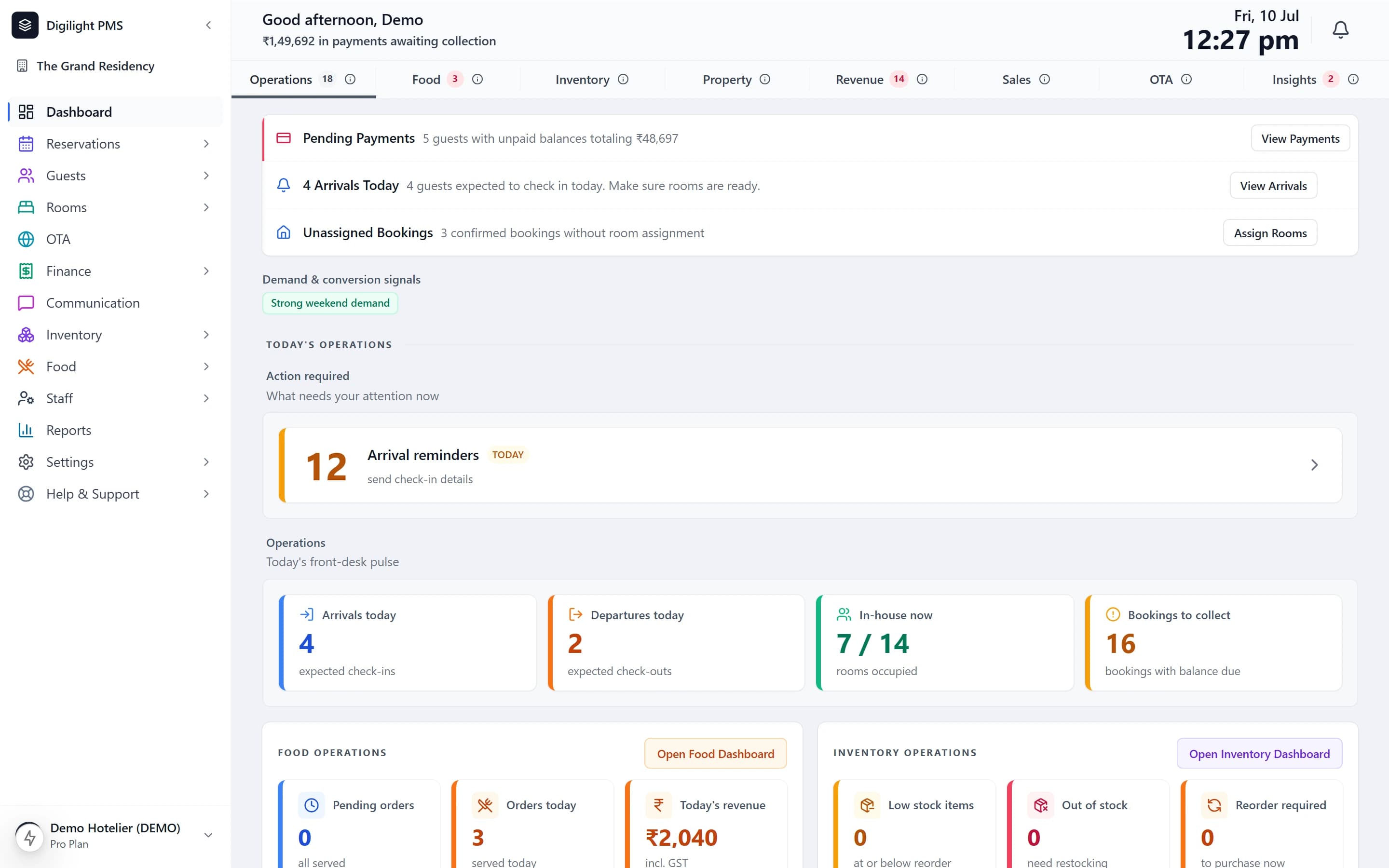
Dashboard
Who is arriving, who is leaving, how many rooms are full, and how much money is still to collect. One screen, before the first phone call of the day.
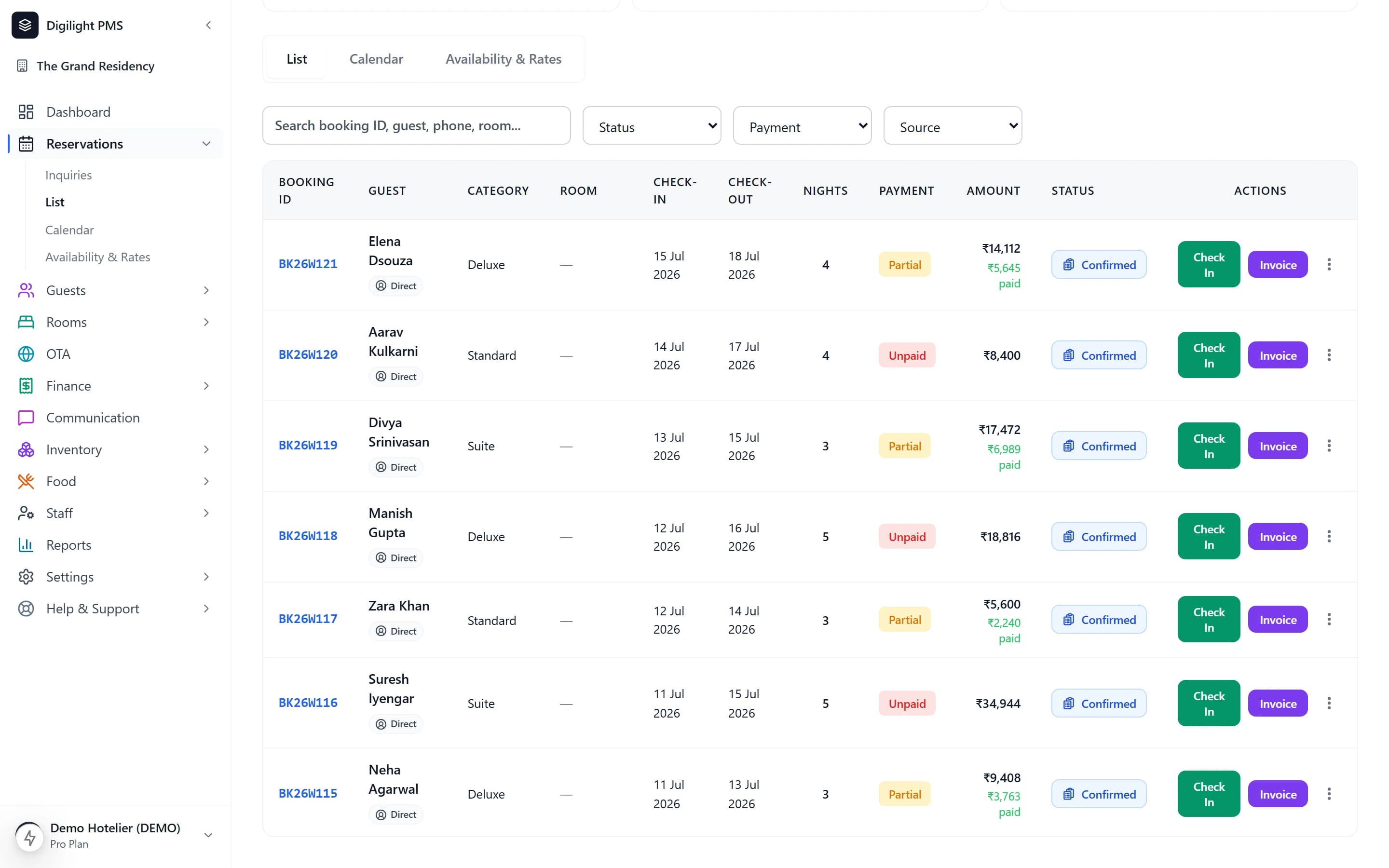
Bookings
Walk-ins, phone bookings, bookings your staff entered — all in one list. No second register, no separate spreadsheet, nothing written down twice.
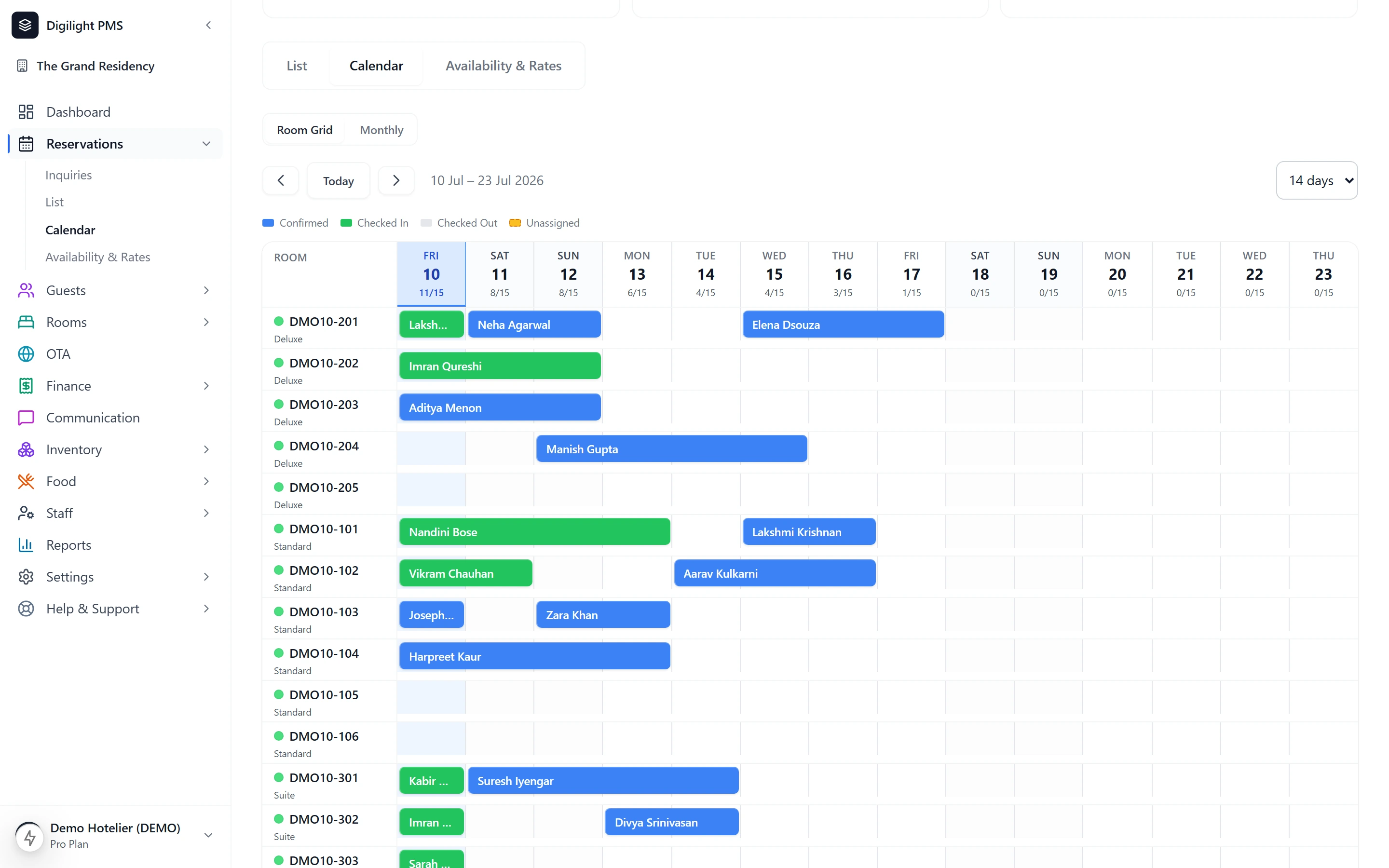
Calendar
A colour-coded grid of every room across the coming weeks. A walk-in asks for a room; you answer in three seconds, with confidence, and you are right.
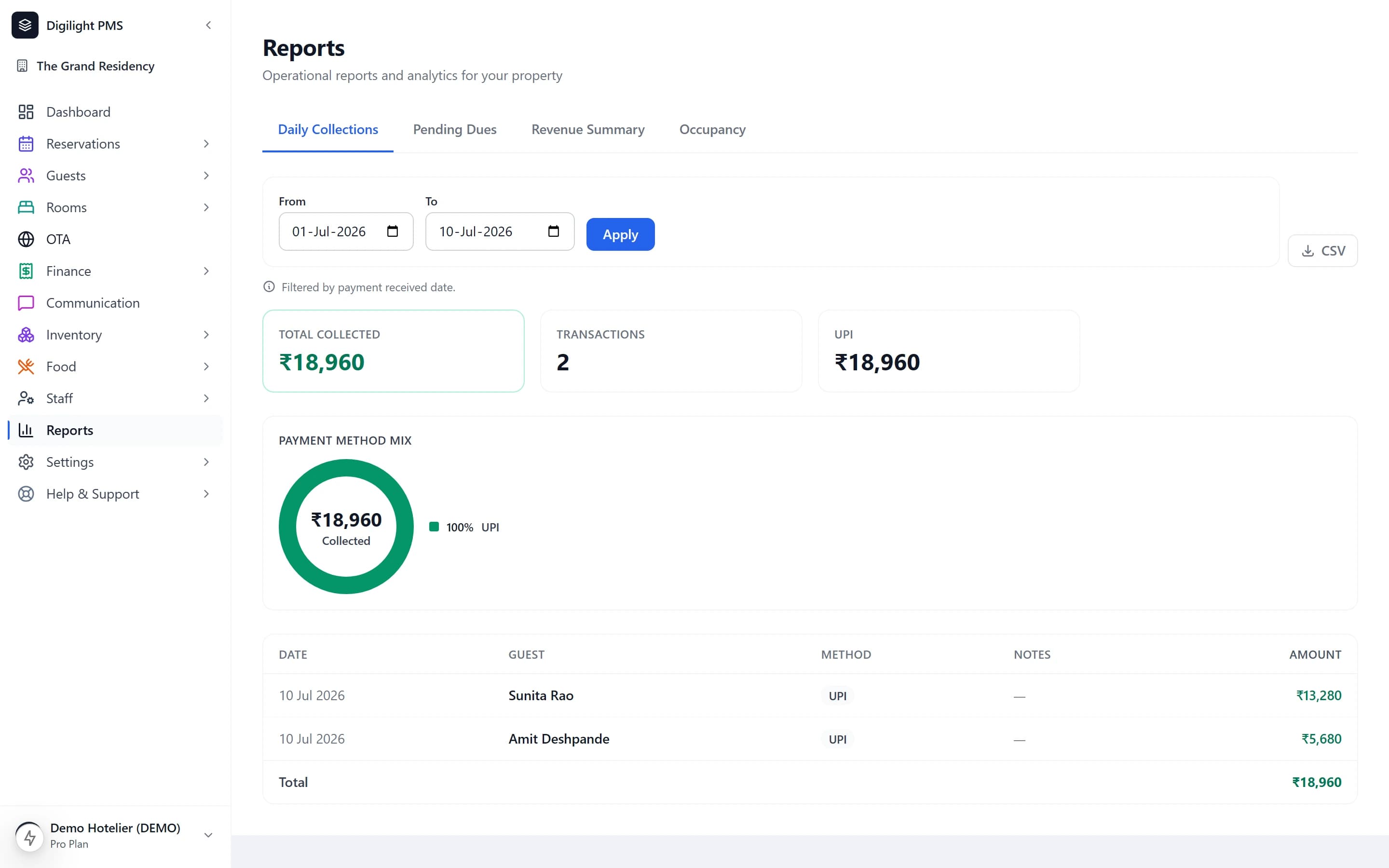
Reports
Occupancy, revenue and payments, for whatever period you ask for. Decide tomorrow’s rate with today’s data instead of last month’s.
How it fits together
Most hotels run four systems that do not speak to each other — a register, a spreadsheet, a billing book and WhatsApp. Every handover between them is a chance to lose money. Here there are no handovers.
A booking is taken
At the desk, on the phone, or by your staff.
The room blocks itself
The calendar updates for everyone, at once.
The guest checks in
Details and ID are already on the booking.
Charges land on the folio
Meals and room service, on the right bill.
The GST bill is ready
CGST and SGST worked out, numbered in order.
Tonight’s report knows
Occupancy and revenue, without a spreadsheet.
Also in every plan
All of it works today. We have not photographed these screens yet — so rather than draw you a picture of software, here is exactly what each one does. Open the live demo and use them yourself.
Guest details, ID, room and advance payment on one screen. Your newest staff member can handle a busy morning without asking for help.
CGST and SGST worked out at the right rate. Invoice numbers in sequence. Room and food billed separately, the way the rules require.
Dirty, cleaning, ready — updated from a phone in the corridor and visible at the front desk the moment it changes.
Add a meal to a room. It lands on the guest folio and on the final bill, taxed correctly, with no second register to reconcile. Included from the Growth plan upwards.
Every guest who has stayed with you, with their history, kept in one place instead of across three registers.
Give the front desk what it needs and keep the rest to yourself. Every account is separate — no shared login.
The real product, with sample data. No email, no card, nothing to install.
What ships today
Plenty of hotel software is sold on what it is going to be. This is what we will say instead — four commitments about how we behave, each one checkable on this site before you pay us anything.
The images on this site are photographs of the live software, taken from the running application. No mockups, no illustrations of screens, nothing retouched to look better than it is.
Where a capability is still being built, it carries a "Coming soon" badge and is never described in the present tense. Today that applies to travel website connections, and there is a page that sets out exactly where they stand.
Read the channel manager statusWe will not move something your plan already includes behind a new price. Every plan and every rupee is published, and the terms that govern them are in force and linked at the foot of this page.
We would rather ship an improvement and tell you afterwards than publish a timeline and miss it. Judge us on what runs your hotel this week, not on what we say we will build.
Every capability listed against a plan works today. The badges tell you the exceptions, and there are not many.
Set your hotel up this afternoon. Try everything for 7 days, free.